
CardGuard
A credit card validation application with a user interface — robust, local, and privacy-first. Combines Luhn checksum, entropy analysis, and repetition detection to verify card numbers without sending data over the internet.
Overview
CardGuard is a user-facing credit card validation application that combines multiple validation techniques to verify card numbers. It helps developers, testers, and educators confirm that a card number is structurally valid before using it in payment flows—without ever sending data over the internet.
- Who it's for: Developers integrating payment systems, QA engineers testing checkout flows, and anyone learning how card validation works.
- What problem it solves: Real card validation requires more than a Luhn check. Weak or predictable numbers (e.g., 1111 1111 1111 1111) can pass Luhn but fail in production. CardGuard catches these with entropy and repetition analysis and presents results through a clear, confidence-based UI.
User Interface
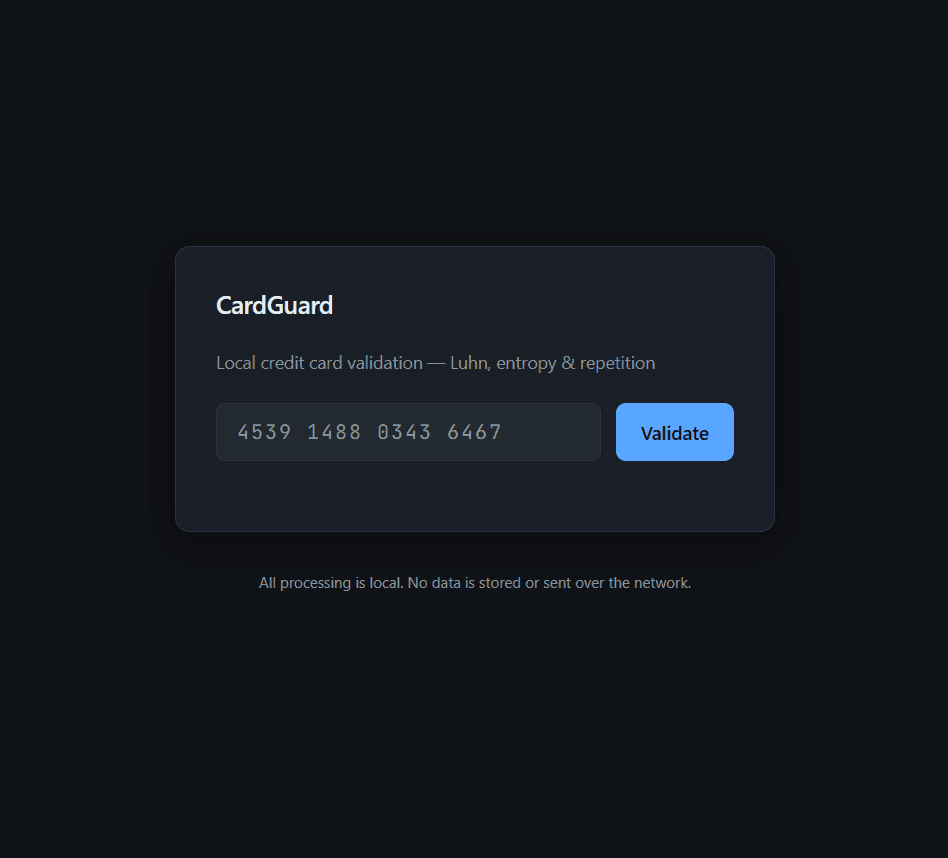
CardGuard provides a clean, dark-themed single-screen interface. Enter a credit card number in the input field (with or without spaces), click the blue "Validate" button, and instantly receive detailed validation results. The interface emphasizes privacy with a clear disclaimer: "All processing is local. No data is stored or sent over the network."
- Input field — Enter the card number (with or without spaces). The app auto-formats as you type (e.g., groups of 4 digits).
- Validate button — Triggers validation. Press once or use keyboard shortcut (e.g., Enter).
- Result panel — Shows the verdict: VALID (high confidence) in green, VALID (low confidence) in amber, or INVALID in red.
- Check breakdown — A detailed list of each check and its outcome: Length, Issuer, Luhn checksum, Entropy score, Repetition analysis.
- Confidence indicator — A visual progress bar showing confidence percentage, with color coding matching the validation result.
Invalid Card Examples
CardGuard catches invalid numbers through multiple checks. When a card fails validation, it shows exactly which checks failed and provides a low confidence score. For example, numbers that fail the Luhn checksum or have zero entropy are immediately flagged as invalid.
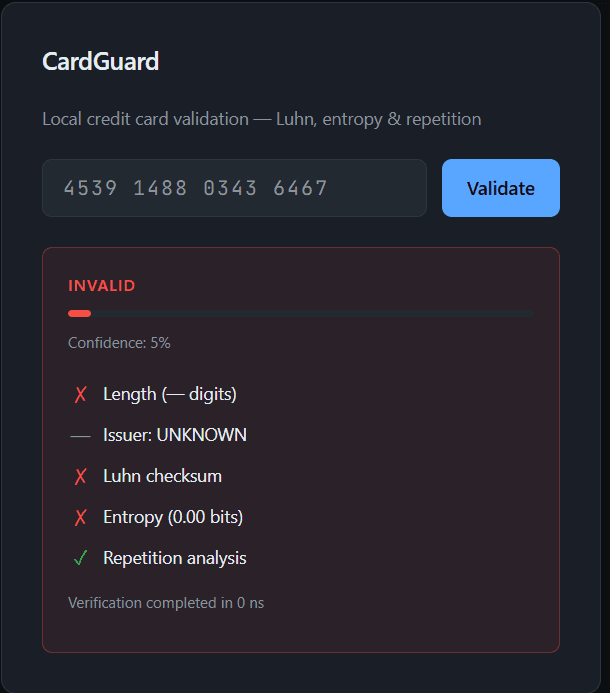
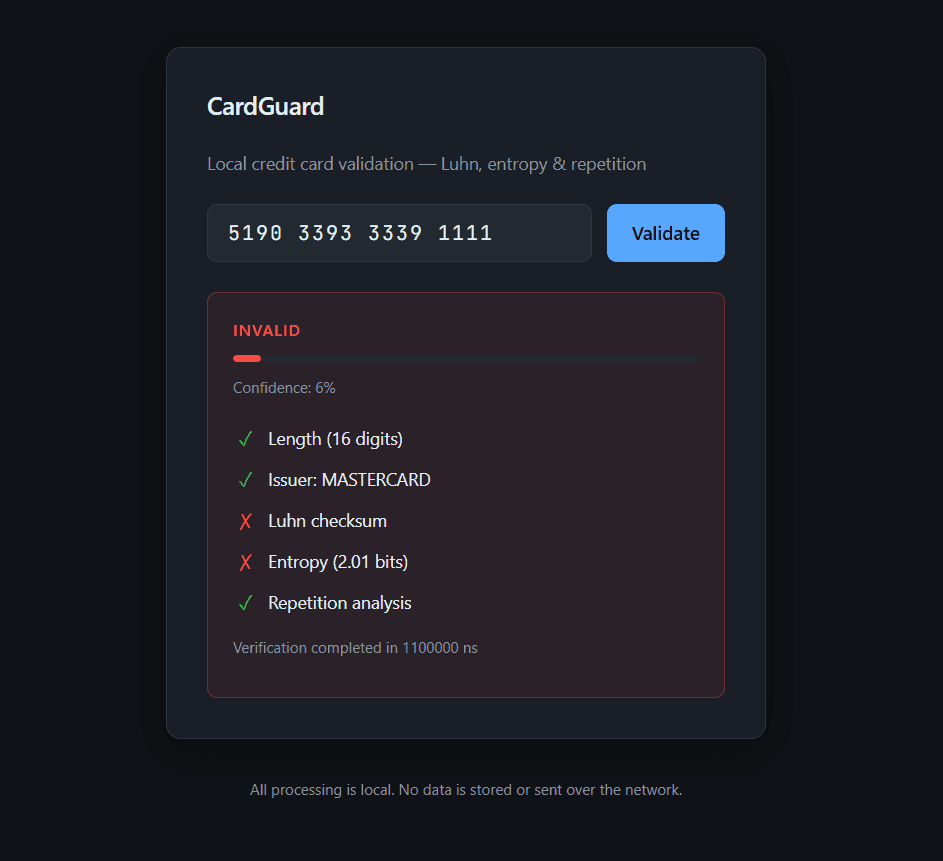
- Complete failure — Some numbers fail multiple checks: incorrect length, failed Luhn checksum, zero entropy, and unknown issuer, resulting in very low confidence (5-6%).
- Partial failure — Other numbers may pass length and issuer identification (e.g., recognized as Mastercard) but still fail critical checks like Luhn checksum and entropy analysis, resulting in an invalid verdict.
- Real-time feedback — Each validation completes in nanoseconds, providing instant feedback on card number validity.
Low Confidence Valid Cards
Some numbers pass the Luhn checksum but have low entropy, indicating they might be test numbers or weak patterns. CardGuard flags these as "VALID (LOW CONFIDENCE)" with a warning message explaining the risk.
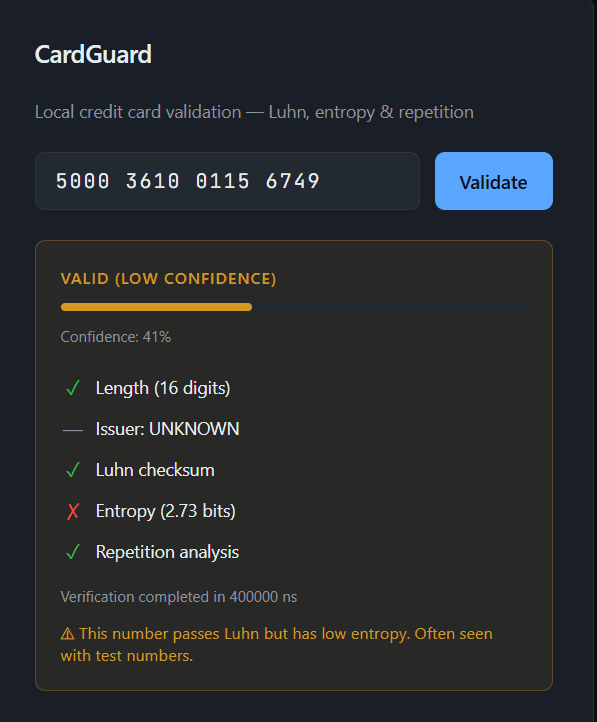
- Low entropy warning — Numbers with entropy below threshold (e.g., 2.73 bits) trigger a low confidence result even if they pass Luhn.
- Test number detection — The system warns that low entropy numbers are "often seen with test numbers," helping developers identify synthetic card numbers.
- Confidence scoring — Low confidence results show amber/orange indicators and confidence percentages (e.g., 41%) to clearly distinguish them from high-confidence valid numbers.
How Validation Works
- Luhn Check — The Luhn algorithm is a standard checksum used by the card industry. It catches typos and simple mistakes by applying a fixed formula to the digits.
- Entropy Analysis — Measures how "random" or unpredictable the digits are. A number like 1111 1111 1111 1111 has very low entropy. A well-mixed number has higher entropy. CardGuard uses this to flag weak, guessable numbers.
- Repetition Detection — Looks for obvious patterns: repeated digits (1111), simple sequences (1234), or copy-paste-like blocks. These often indicate test or fake numbers.
Safety & Privacy Guarantees
- Local-only processing — All validation runs on your machine.
- No storage — Card numbers are never written to disk.
- No logging — Input is not recorded or sent anywhere.
- No network — The app does not connect to the internet.
- Test numbers only in examples — The README and UI samples use standard test numbers that cannot be used for real purchases.
Performance
- Validation: Nanosecond-level (typically 35–45 ns per number).
- UI overhead: Minimal. The bottleneck is user input and rendering, not the engine.
- No I/O during validation: Pure in-memory computation.